
AI lesson planning works best when it drafts the structure and the materials while you keep the decisions: what this group needs, how fast to move, what to cut when the class runs late. Used that way, it turns an evening of preparation into a short edit. Used as a one-click replacement for your judgement, it produces plans that look tidy and teach badly. This guide shows how to do the first, with an ESL lesson plan example, prompts you can reuse, and the checks that matter before anything reaches a student.
TL;DR
- AI is good at first drafts: lesson structure, activities, discussion prompts, examples and rubrics. You still choose, adapt and check.
- The quality of a plan depends on the input. Clear learning objectives, the learners’ level and some context beat a vague request every time.
- Generic planners start from a blank prompt. Planning from what actually happened in your last lesson is faster and more personal.
- For schools, the real gains are lower teacher workload, more consistent quality and better follow-up between lessons, which supports retention.
- Always review AI output for accuracy, bias, cultural fit and student data privacy.
Table of Contents
- What AI can and cannot do in lesson planning
- The real problems AI lesson planning should solve
- How to write an ESL lesson plan with AI, step by step
- An ESL lesson plan example
- Why planning from the last lesson beats planning from a blank page
- Perspective: what we see after talking to teachers and schools
- What AI planning means for a language school
- Checks before an AI-generated plan reaches a student
- Try it on your next lesson
- Making it stick: a four-week routine
- FAQ
- Sources
What AI can and cannot do in lesson planning
The British Council’s 2024 guide for English teachers suggests using AI to generate lesson plans, alternative methodological approaches, real-life language contexts, project outlines, course structures, assessment ideas and varied classroom activities. The same guide is clear that teachers should critically evaluate what comes back and adapt it to their own context.
Its 2025 follow-up adds that AI can scan educational content, suggest materials, recommend adaptations based on learner performance and support differentiated planning. That last point matters for language classes, where one group often contains three or four real levels.
In practice, that gives you a simple split.
| Delegate to AI | Keep for yourself |
|---|---|
| A first-draft lesson skeleton with timings | Deciding what this group needs this week |
| Gap-fill, matching, role-play and discussion material | Checking language for accuracy and tone |
| Several versions of the same task for different levels | Reading the room and changing course mid-lesson |
| Example sentences and realistic contexts | Giving feedback that responds to confusion or frustration |
| Answer keys and rubrics for you to check | Final approval of anything students will see |
Research backs the caution. A 2025 study of trainee language teachers found that generative AI helped them create lesson plans and activities, but raised concerns about output quality, bias and over-reliance. Action research from 2025 suggests AI expands teachers’ roles towards curriculum planning, evaluation and collaboration rather than eliminating them. The teacher who plans with AI is not doing less teaching. They are spending the saved hours on the parts only a person can do.
The real problems AI lesson planning should solve
Most articles on this topic list features. Language schools and independent teachers tend to have a shorter list of problems.
Preparation eats unpaid time. A freelance teacher with twenty lessons a week who spends twenty minutes on each is giving up almost seven hours of unpaid work. In a school, the same hours sit inside salaries or are quietly donated by staff.
Workload leads to burnout and turnover. Preparation, marking and reporting pile up after the lessons themselves. Directors of studies know that the teachers who leave are often the ones doing the most unseen work.
Engagement drops when lessons feel generic. Learners notice when a worksheet has nothing to do with what they struggled with last week.
Personalisation is hard at scale. In a one-to-one class you can adapt on the spot. With twelve students in a group, or sixty in a school’s online programme, it rarely happens consistently.
Retention follows all of the above. Students stay when they feel progress and feel seen. They go when lessons feel interchangeable.
Teaching quality varies between teachers. Owners and academic directors often have little visibility of what actually happens in lessons beyond the occasional observation.
A planning tool that only produces a nicer document solves the first problem and nothing else. The more useful question is whether planning is connected to what happens before and after the lesson.
How to write an ESL lesson plan with AI, step by step
This works with any general-purpose AI assistant and with specialist tools. The method matters more than the product.
1. Start with the objective, not the topic
The British Council recommends putting clear learning objectives in the prompt so generated activities stay relevant to the intended outcomes. “A lesson about restaurants” is a topic. “Students can order food, ask about ingredients and politely complain about a mistake” is an objective.
2. Give the context
A 2024 study in the journal ReCALL found that meaningful context and lesson objectives improved foreign-language lesson plan output, and that adding scoring criteria produced the highest average score in one tested prompt. So tell the tool:
- the level (CEFR level, plus any known weak areas)
- the age and profession of the learners
- the lesson length and whether it is online or in person
- what they did last time
- how you want to judge success
3. Ask for a draft, then refine
The same study recommends iterative refinement and follow-up prompts to add interaction, teacher questions or culturally relevant closing tasks. A Canadian open-education guide makes the same point: AI can produce a first draft, but reprompting and human editing are needed to make it classroom-ready.
4. Edit like a teacher
Cut anything you would not say aloud. Replace names and places with ones your learners know. Check timings against reality: if a speaking task needs ten minutes, it needs ten minutes, whatever the plan says.
5. Plan the follow-up before the lesson ends
A good plan says what happens afterwards: which errors will be revisited, what practice the learner does before next time. This is the step most planners ignore.
An ESL lesson plan example
Here is the kind of output you should be aiming for, for a 60-minute online lesson with a B1 group of adult learners.
Objective: by the end, learners can make and respond to polite requests at work, using Could you…? and Would you mind…?
| Time | Stage | What happens |
|---|---|---|
| 0–5 min | Warm-up | Learners describe the last time they asked a colleague for help. |
| 5–15 min | Context | Short audio of two colleagues. Learners note the requests they hear. |
| 15–25 min | Language focus | Compare direct and polite forms. Learners sort example sentences by formality. |
| 25–40 min | Controlled practice | Gap-fill and sentence transformation, with a short answer check in pairs. |
| 40–55 min | Freer practice | Role-play: a manager needs a report moved, a colleague has a conflict. Teacher notes errors. |
| 55–60 min | Close | Learners write one request they will really use this week. |
The plan is not clever, and that is the point. It is a sound structure that an AI tool can draft in seconds. What you add is the detail that makes it yours: the contexts your learners actually live in, and the errors you hear during the role-play.
Prompts you can adapt
- “Write a 60-minute online B1 lesson plan for adult professionals. Objective: make polite requests at work. Include timings, a warm-up, a listening script of 120 words, controlled practice and a role-play with two role cards.”
- “Give me three versions of the controlled-practice task: one for learners who confuse could and can, one for those who are secure, one stretch version.”
- “List five likely errors B1 learners make with this language and one correction activity for each.”
Why planning from the last lesson beats planning from a blank page
Almost every AI planner starts the same way: you type a prompt, it writes a plan. The tool knows nothing about your learners, so you carry all that information in your head and type it in each time. That is workable for one group. It breaks down for a school.
The stronger approach is to plan from evidence. What did learners actually get wrong? Who barely spoke? Which structure came up three times and never stuck? When those answers feed the next lesson’s preparation, the plan becomes personal without extra effort from the teacher.
This is what BoostClass Connected Activities is built around. It connects to your real classes, whether they run on Zoom, Microsoft Teams or Google Meet, or happen in person. Teachers can generate over 20 types of ready-to-use classroom activities, and the preparation can draw on three inputs: your teaching objectives, insights from previous classes, and learning gaps detected in your students’ work. Teachers keep their own teaching style and materials, and students do not need to install anything.
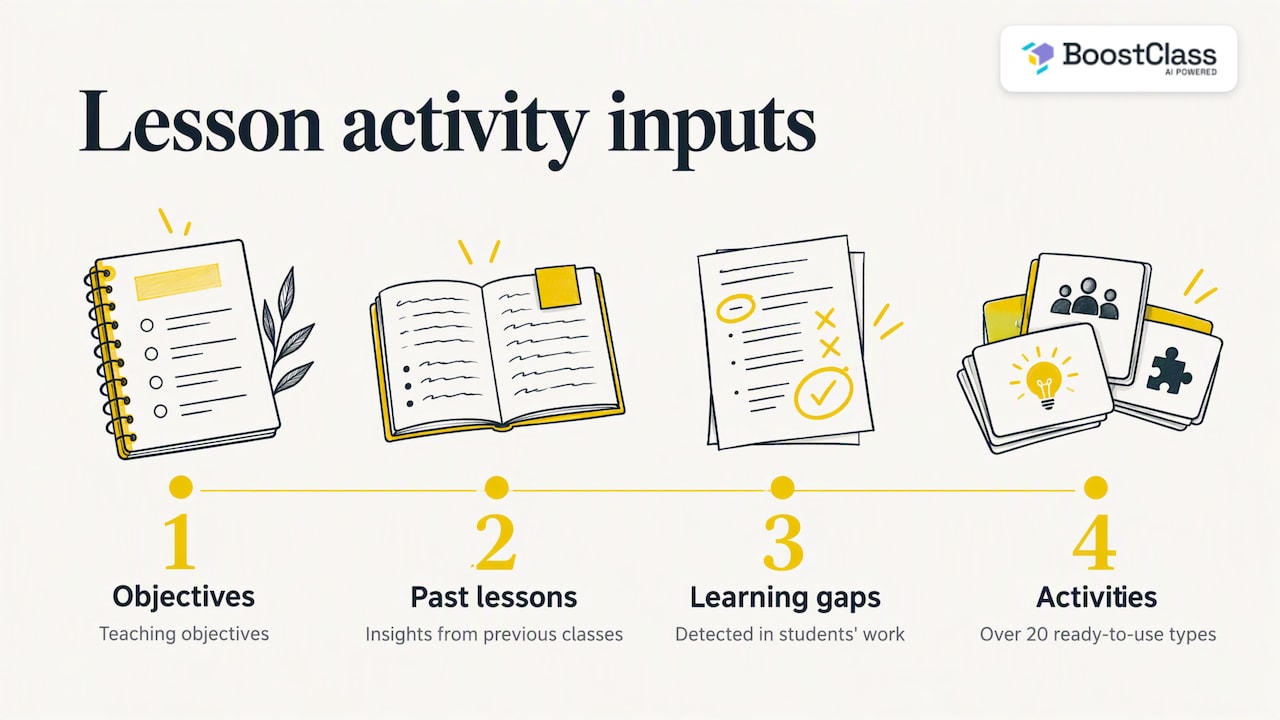
A worked example: a teacher notices that a group keeps dropping the third-person -s in speaking tasks. Rather than inventing a new worksheet from scratch, they set a teaching objective, let the previous-lesson insights and detected gaps shape the activity, and choose a format that suits the group. The result takes minutes to review and is anchored in what the group actually said.
Perspective: what we see after talking to teachers and schools
We built BoostClass because the best language lessons we have seen were never the ones with the prettiest slides. They were the ones where the teacher knew exactly what each student found difficult, and planned around it.
That knowledge is the first thing to disappear when a teacher is tired. Preparation gets generic, feedback gets short, and practice between lessons becomes optional. Generic AI planners can make the generic version faster, but they do not bring back the missing information. We think the connection matters more than the generator: what happened in class should shape the next plan, the feedback and the practice.
We are also direct about the worry many teachers and schools have, that AI assistants will water down teaching. Our view is that the lesson should stay human. AI takes the repetitive admin, and the teacher keeps the room. For owners, the benefit is visibility: learning outcomes, student engagement and, through our teacher analytics such as Teacher Talk Time, a clearer picture of how lessons are being delivered. That is a quality conversation, not surveillance, when you have it openly with your team.
— Cesar
What AI planning means for a language school
For an owner or academic director, the questions are different from an individual teacher’s.
Workload. If each teacher saves even a modest amount of preparation time per lesson, the effect multiplies across a timetable. Use the time to reduce overtime or to give teachers room for observation and development, not simply to add more classes.
Consistency. A shared planning method (objective, level, context, review) makes it easier for a new teacher to deliver a lesson that feels like your school’s. Lesson plans become something you can discuss rather than something locked in individual heads.
Engagement and retention. Learners who receive personal feedback and practice that targets their own mistakes can see progress, and progress is the strongest reason to renew. BoostClass automates student feedback, personalised practice and progress tracking alongside lesson preparation, so planning, class and follow-up sit in one flow. If you want to see how this connects to the wider picture, read our pieces on how AI is transforming English language centres and the three models of AI for language schools.
Teaching quality. Visibility is useful only if it leads to action. Metrics such as Teacher Talk Time give a starting point for coaching conversations, for example when a teacher dominates the lesson and learners have little speaking time.
A human future. Many owners worry that this technology replaces teachers. We argue the opposite in our article on a human future with AI in English language academies.
Checks before an AI-generated plan reaches a student
Treat every generated plan as a colleague’s rough draft.
- Accuracy. Read the language points, example sentences and answer keys. Research from 2025 found that AI can supply reference answers but showed inaccuracies in syntactic analysis and creative-writing assessment.
- Bias and appropriateness. The 2025 trainee-teacher study advises that AI-generated materials should be reviewed for cultural, linguistic and contextual appropriateness. Check names, jokes, stereotypes and assumptions about learners’ backgrounds.
- Level. A task that is technically correct can still be too hard. Run it through your own sense of the group.
- Privacy. UNESCO’s 2023 guidance on generative AI in education calls for human-centred, ethical, safe, equitable and meaningful use, with data privacy protected. Do not paste student names, recordings or personal details into a general-purpose chatbot. Schools should have a clear policy on this, and should check how any tool they adopt handles learner data.
- Pedagogy. Make sure each activity serves the objective. UC Berkeley researchers describe generative AI as a supplementary tool for creating formative language-assessment items, not a substitute for educators, and teachers should refine items and confirm pedagogical alignment.
Try it on your next lesson
If you want to see planning driven by your own classes, try BoostClass AI classroom activities or find out more at boostclass.net. The Activities plan costs €5 per month. Student Intelligence, which adds feedback, practice and progress tracking, costs €19 per month for up to 10 students, €34 per month for up to 20 students and €49 per month for up to 30 students. Details are on the pricing page.
Making it stick: a four-week routine
Tools rarely fail because of features. They fail because nobody builds a habit. A simple routine for a teacher or a small school:
- Week 1: use AI for one lesson per group, only for the warm-up and controlled practice. Compare prep time with your usual.
- Week 2: add the objective and last-lesson context to every prompt. Note which edits you make repeatedly, and fold them into your prompt.
- Week 3: add follow-up: short practice targeted at errors from the lesson. Our guides on real-time feedback and writing feedback with AI show what that can look like.
- Week 4: review. Did prep time fall? Did learners notice? Share what worked with colleagues.
Planning also interacts with pacing. A strong plan that overruns still fails, so pair this routine with our practical guide to lesson time management.
FAQ
Can AI write a complete lesson plan for me?
It can write a usable first draft, but not a finished plan. Guidance for teachers is consistent that reprompting and human editing are needed to make AI output classroom-ready. Your knowledge of the group is what turns the draft into a good lesson.
What should I put in an AI prompt for an ESL lesson?
Include the learning objective, the learners’ level, their age or profession, the lesson length, the format (online or in person) and what they covered last time. If you want a particular kind of output, say so: timings, role cards, a listening script, answer keys. Then ask follow-up questions to improve the draft.
Is AI lesson planning suitable for in-person classes?
Yes. A plan is a plan wherever it is delivered. BoostClass supports in-person teaching as well as lessons on Zoom, Microsoft Teams and Google Meet, so preparation, feedback and practice can run in the same way for both.
Will AI replace language teachers?
The current evidence points towards changing roles, not disappearing ones. Research on language teachers working with AI suggests it widens their work in planning, evaluation and collaboration. Learners still need accurate feedback and a person who notices when they are confused.
Sources
- AI activities and resources for English language teachers (British Council, 2024)
- Transforming teacher education with AI (British Council, 2025)
- Pre-service language teachers’ experiences and perceptions of generative AI (2025)
- Prospective roles of language teachers in AI-assisted settings (2025)
- ChatGPT in foreign language lesson plan creation (ReCALL, 2024)
- Lesson Planning, Generative Artificial Intelligence in Education (Open Educational Materials)
- Generative AI for formative language assessment (UC Berkeley, 2025)
- Guidance for generative AI in education and research (UNESCO, 2023)