
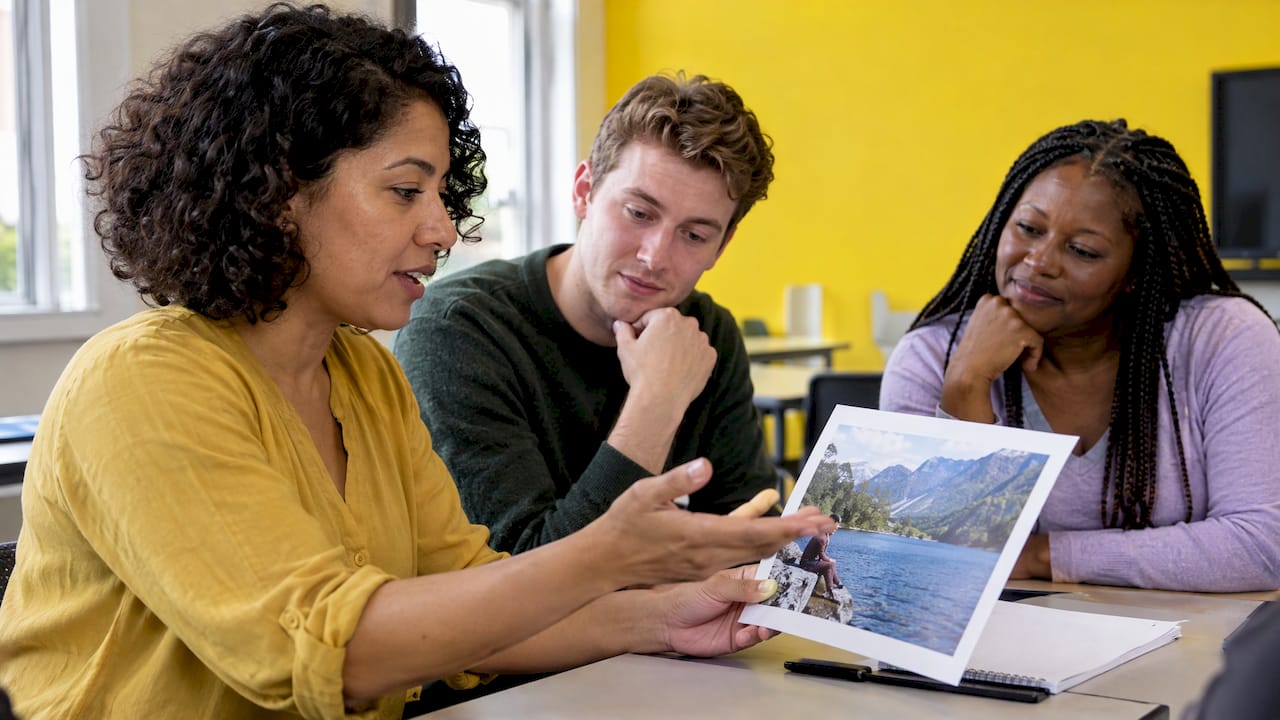
Picture description works because it gives learners something to say before they have to think of what to say. A photo supplies the ideas, so the learner can put their effort into vocabulary, grammar and organisation. This guide shows you how to run it: a step-by-step structure, the language to teach, activities for different levels, and how to give feedback without losing the lesson’s momentum.
TL;DR
- Picture description asks learners to observe an image and give an organised spoken response, which practises vocabulary retrieval, fluency, grammar and organisation.
- A reliable lesson sequence is: brainstorm, note useful language, prepare for 30 to 60 seconds, speak for about a minute, get partner feedback, repeat with a new photo.
- Teach a fixed plan (overall scene, people and actions, location, impressions) and a small set of sentence starters, then remove the supports as learners improve.
- Note errors while learners speak and feed back afterwards, one strength and one point to improve per learner.
- Connected Activities in BoostClass helps you turn what happened in your last class into follow-up practice, so each learner revisits their own gaps.
Table of Contents
- What picture description is, and what it trains
- A lesson structure that works
- Language to teach: starters, positions and guessing
- Activities for different ages and levels
- Common difficulties and how to handle them
- Feedback that learners use
- What this means for school owners and academic directors
- Perspective
- Preparing the follow-up in minutes
- Try it with your own classes
- FAQ
- Sources
What picture description is, and what it trains
In an ESL classroom, picture description means a learner looks at an image and talks about it in an organised way. It sounds simple, yet it asks for several things at once. Learners have to retrieve words, build sentences, decide what to mention first and keep going without a script.
A 2025 article in the Journal of English Language and Education says picture-description tasks stimulate spontaneous speech and give learners a visual scaffold for generating ideas and language. The same article says teachers can judge comprehension, grammar, vocabulary, pronunciation and fluency in a communicative setting, and that visual prompts activate prior knowledge and help with vocabulary recall.
The grammar it naturally practises is useful and predictable. A JALT teaching article notes that learners use the present continuous, prepositional phrases, and expressions for clarifying and repeating. The same piece points out that the activity gives practice for Part 1 of the TOEIC listening section, where learners predict sentences about photos.
So in one five-minute task you can work on:
- Vocabulary: objects, clothes, places, feelings.
- Grammar: there is/there are, present continuous, prepositions of place, modals for guessing.
- Fluency: keeping going for a minute rather than stopping after one sentence.
- Organisation: deciding an order and sticking to it.
- Paraphrasing: finding another way to say a word they do not know.
These are also the skills that make exam speaking tasks and everyday conversation easier. If you want a wider look at why these skills matter in conversation, the piece on CEFR-aware language exchange topics shows how a small set of well-chosen prompts keeps learners practising what suits their level.
A lesson structure that works
The most dependable sequence comes from Cambridge English. In its B1 Preliminary speaking guidance, learners brainstorm and organise ideas in pairs, make notes on useful language and rehearse. They then prepare for 30 to 60 seconds (optionally jotting one or two key words) and speak for about a minute. Partners give feedback, and the learners repeat the process with another photograph.
Here it is as a 20-minute plan you can adapt.
- Show the picture (1 minute). Let learners look in silence. Ask for no language yet.
- Brainstorm in pairs (3 minutes). Partners list words and phrases they might need. Collect the best on the board.
- Teach or recycle the language (3 minutes). Pick three or four structures, no more (see the next section).
- Prepare (1 minute). Each learner makes notes of one or two key words, not sentences.
- Speak (1 minute each). One learner speaks while the partner listens for one strength and one thing to improve.
- Feedback (2 minutes). Partners tell each other, then you add whole-class points.
- Repeat with a new photo (5 minutes). The second go is where improvement shows.
If you want a quick retrieval step at the start, you can draw on retrieval practice for language lessons to bring back last week’s vocabulary before the picture appears. And if you plan a series of these tasks over several weeks, the idea behind interleaving practice for teachers helps you mix picture tasks with other skills rather than blocking them all together.
Choose a planning order
Learners freeze when they do not know where to start. Give them an order. For intermediate learners, Cambridge’s guidance suggests actions first, then appearance or impression and location, followed by other people and what they are doing. Written on the board, it becomes a map: What are they doing? What do they look like, and how does it feel? Where is it? Who else is there?
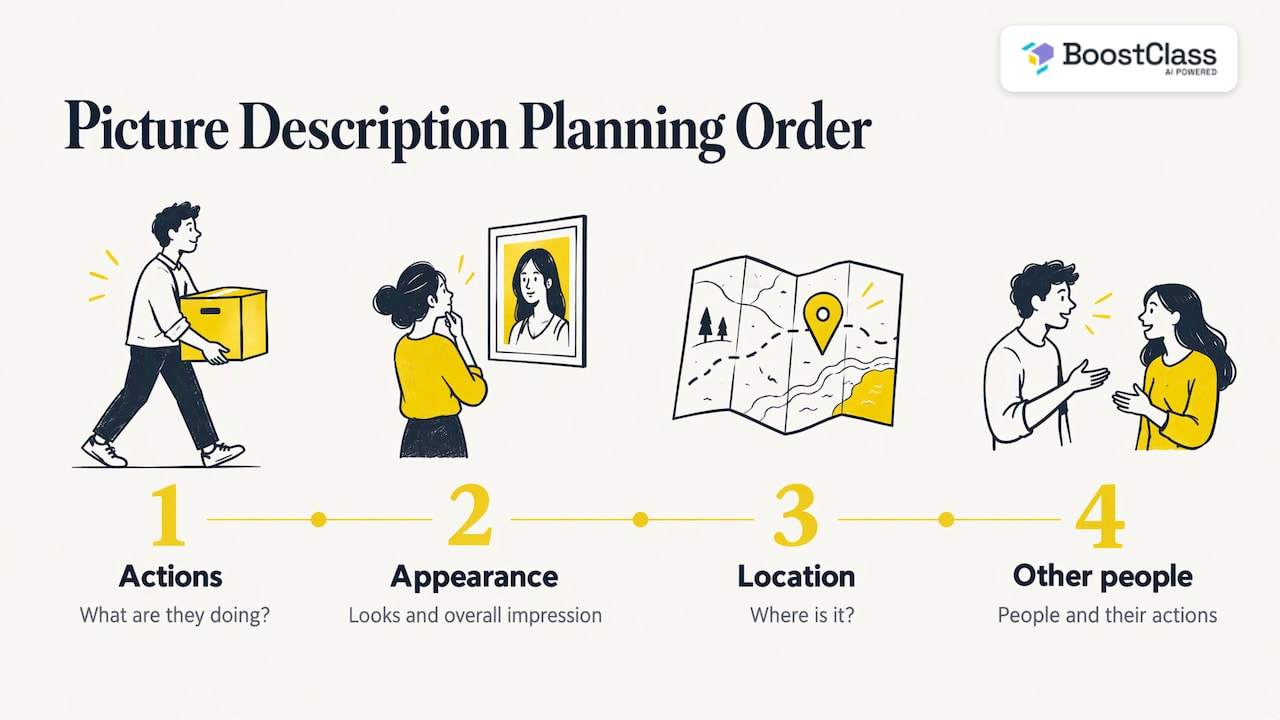
For higher-level classes, you can start from the overall scene, then move to people, actions, location, atmosphere and reasonable guesses, using might, could and may for interpretation.
Language to teach: starters, positions and guessing
Do not hand out a long list. The British Council’s LearnEnglish Teens page on describing a photo gives a compact set that covers most photos:
| Purpose | Useful language |
|---|---|
| Opening | In the picture I can see…, There’s / There are… |
| Actions | Present continuous: The man is carrying… |
| Position | At the top / bottom, in the middle, on the left / right, next to, in front of, behind, near, on top of, under |
| Guessing | It looks like a…, It might be a…, He could be waiting…, Maybe it’s a… |
A good teaching order is to start with the opening phrase and position words for A2 learners, add the present continuous for actions, and bring in the guessing language at B1 and above. That last group matters most for fluency: it lets learners keep talking when they are not sure what they see, instead of stopping.
Closed questions first, open questions next
Cambridge recommends closed questions for factual observation and open ones for reasoning. For example, ask Where is the girl? and then Why do you think she is happy? The Cambridge English page on learning through drawing gives this pairing.
An English Teaching Forum article goes further. It explains that interpreting images calls for higher-order skills such as evaluating, synthesising and analysing, and that open-ended questions beginning with Why and What if encourage extended answers. In practice, once learners can describe, ask them What might have happened just before this photo? or What if it started to rain? and you have moved from description to genuine speaking.
Activities for different ages and levels
Describing a picture does not have to mean a learner talking to the teacher. These variations keep the task fresh.
Describe and draw (information gap)
Partners sit so they cannot see each other’s picture. One describes, the other draws, and then they compare the drawing with the original. Cambridge recommends this for young learners, and it works just as well with teens and adults if the picture is more complex. Differences between drawing and original show exactly which words were unclear, which makes feedback concrete. Switch roles and repeat with a different image.
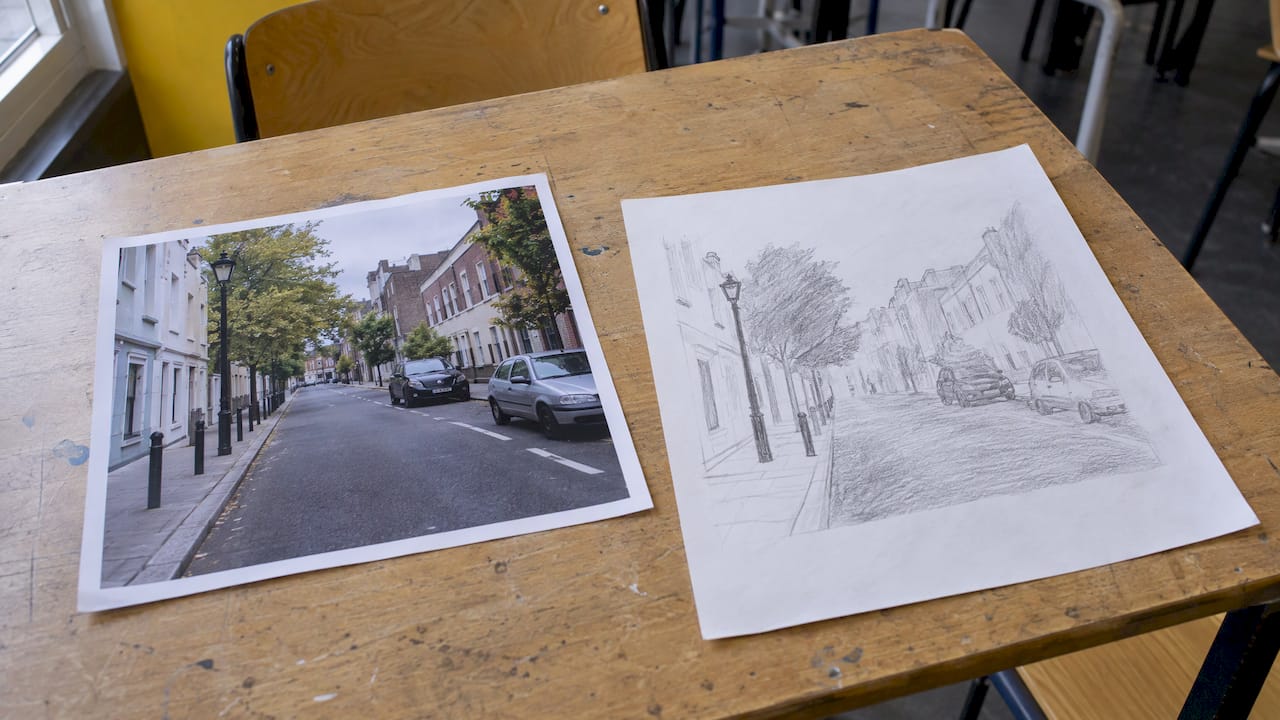
For a lower level, use simple shapes and positions (a circle under the square). For upper levels, use a busy street scene and require articles, prepositions and there is/there are with the correct singular and plural.
Picture sequences
The Cambridge A1 Movers speaking extension suggests discussing where things are and what each person is doing, describing pictures displayed out of order, predicting what happens next and suggesting dialogue for the characters. Sequences are a gentle bridge from describing to storytelling, and they link well to task-based language teaching examples.
Describe, then role-play
Show a photo of two people at a counter. First describe it, then learners act out the conversation they imagine. This links description to speaking in context, and our list of ESL role-play scenarios gives ideas for every level.
Quick formats
- Vocabulary race: teams list every object they can see in 60 seconds.
- Sentence completion: give half-sentences (The woman on the left is…) for A1 and A2.
- Caption it: show a funny or odd photo and ask for a caption plus a reason.
- Spot the difference: two similar photos, learners find five differences orally.
The pictures themselves can come from textbook illustrations, digital media, personal photographs or magazine cut-outs, and the task can be done individually, in pairs or in small groups, according to the 2025 JELE article. A photo your learners took themselves, or one connected to their town or job, is often the best prompt, because they already have something to say.
Common difficulties and how to handle them
These are the problems we see most often in picture tasks, with what tends to help. They come from classroom practice rather than a single study, so treat them as starting points.
The learner names objects and stops. They produce a list: tree, man, dog. Give a planning order and a sentence frame, and ask the follow-up What is he doing? Then set a target of a full minute on the second attempt.
The learner lacks a word. Teach paraphrase phrases early: It’s a thing you use for…, It looks like…, It’s next to the…. Praise the workaround, not only the correct word.
Tense slips. Many learners mix present simple and present continuous. Display one model sentence (The man is carrying a box) and give the learner a cue card with is/are + -ing.
Nervous or quiet learners. The JALT article observes that more inhibited students can come out of their shells as they get used to these activities, but that the teacher must watch class dynamics so louder students do not overshadow quieter ones. Pair quieter learners together, and let them rehearse before they speak to the whole class.
Learners who rely on the picture too long. Supports are meant to be temporary. The English Teaching Forum article says the aim is to gradually change how learners use images, for example from labelling items to forming complex sentences that make inferences about the photo. So, week by week, remove the sentence frames, then the word list, then the planning order.
Feedback that learners use
Feedback is where picture description pays off, or does not. Two habits help.
Listen with a purpose. Cambridge’s B1 online lesson notes ask listeners to identify one strength and one weakness in organisation, vocabulary and grammar, then give positive or constructive feedback through the chat. That small structure makes peer feedback specific rather than a vague good.
Note, then feed back. As the JALT article describes, the teacher makes notes of areas of difficulty during the activity for later feedback. Write three or four anonymous error sentences on the board and ask the class to fix them. Then bring back the best corrected versions in a later warm-up activity so the correction is practised, not just heard.
For the wording of individual comments, see our guide to ESL feedback comments.
There is also research on automated feedback for this exact task. A 2024 study on scene-description evaluation describes a two-stage approach: the response is scored by matching text features with features of the visual scene, then the learner gets immediate general comments and specific suggestions. The point for teachers is that quick, specific feedback after a description is something technology can increasingly support, leaving you free for the human side: encouragement, class dynamics and judgement.
What this means for school owners and academic directors
Picture description looks like a small classroom tool, but it touches the problems that matter to a school.
- Lesson preparation: a good picture task needs the right image, the right language and a follow-up. Repeated across many classes, that is hours of unpaid planning.
- Teacher workload: noting errors and writing individual feedback after every speaking task is slow work.
- Student engagement and retention: learners who feel they are speaking more and receiving feedback about their mistakes are more likely to feel progress. Our experience is that visible progress is what keeps people enrolled.
- Personalised learning: two learners can describe the same photo and need entirely different follow-up.
- Teaching quality: consistency across teachers is easier when the structure is shared. For a wider view, see AI for language schools.
Perspective
We built BoostClass around one idea: the most useful information about a learner comes from the real class, with a real teacher. A picture description task is a perfect example. In one minute of speaking, a learner shows you which words they reach for, which tenses slip and where they go quiet.
Most of that is lost once the lesson ends. Teachers are busy, so the notes stay in their head or on a scrap of paper, and the next lesson starts from the plan rather than from what happened.
Our approach is to keep the teacher’s style and materials and automate the tedious parts around them: preparing follow-up activities, generating individual feedback, tracking progress and giving each student practice that targets their own mistakes. BoostClass connects with Zoom, Microsoft Teams and Google Meet, supports in-person teaching too, and students do not need to install anything.
We do not think software replaces a teacher’s judgement about which photo will make a nervous learner smile. We think it should give that teacher back the time to use it.
Cesar
Preparing the follow-up in minutes
The picture task is the middle of the learning, not the end. Before class, BoostClass Connected Activities lets teachers prepare lessons using their teaching objectives, insights from previous classes and detected learning gaps, and generate over 20 types of classroom-ready activities. That makes preparation both faster and more personal: the exercises are based on what your learners actually struggled with, not on a generic worksheet.
A practical example: after a speaking task where several learners dropped the -ing in descriptions or confused in front of and behind, you can prepare a short activity on those exact points for the next lesson, instead of re-teaching the whole unit. After class, BoostClass can generate individual student feedback and personalised practice, and track progress over time, which supports the wider approach in our guides to AI lesson planning and adaptive learning in ESL.
Try it with your own classes
BoostClass is an AI-powered platform for language education that helps teachers and schools prepare lessons, give individual feedback and keep track of progress with less admin. It works alongside Zoom, Microsoft Teams and Google Meet, and in-person classes.

Plans start with Activities at €5 per month. Student Intelligence is €19 per month for up to 10 students and €34 per month for up to 20 students, and the student feedback plan for up to 30 students is €49 per month. See the BoostClass pricing page for the full details, or discover BoostClass and try the AI classroom activities yourself.
FAQ
How long should a picture description task last?
For intermediate learners, Cambridge’s B1 sequence has 30 to 60 seconds of preparation followed by speaking for about a minute. A full cycle with brainstorming, partner feedback and a second photo fits in around 20 minutes. Lower levels can speak for less time with sentence frames.
What can learners say if they do not know the word for something in the picture?
Teach hedging and paraphrase phrases such as It looks like a…, It might be a… and It’s next to the…. These are the same expressions the British Council lists for describing photos. They keep the learner talking and show the strategy that real conversation demands.
Can picture description work online?
Yes. Share the image on screen, use breakout rooms for pairs, and have the listening partner send one strength and one point to improve in the chat, as Cambridge’s online lesson notes suggest. BoostClass connects with Zoom, Microsoft Teams and Google Meet if you want to capture insights from those lessons.
What is the difference between describing a picture and discussing it?
Describing is factual: who, what, where. Discussing goes further with Why and What if questions that ask for reasons and opinions. A good lesson moves from one to the other, starting with closed observation questions and finishing with open ones.
Sources
- Assessing Speaking Skills through Picture Description, Journal of English Language and Education (2025)
- Thinking outside the box: English through pictures, JALT Publications
- Speak up! B1 Preliminary, Cambridge English
- Describe a photo or picture, LearnEnglish Teens, British Council
- Learn English through drawing, Cambridge English
- ETF 53/4, English Teaching Forum (ERIC)
- A1 Movers Speaking Part 2 extension, Cambridge English
- B1 Preliminary for Schools Speaking Part 2 online lesson notes, Cambridge English
- Facilitating self-directed language learning in real-life scenes, Computers & Education (2024)
