

The best vocabulary review activities are short, return to the same words several times, and make learners use those words rather than just recognise them. Below you will find tried classroom activities with timings, ways to adapt them by level and age, a few grammar tasks that follow the same logic, and a method for turning each review into personalised practice. It is written for teachers, academic directors and school owners who want review that works without hours of extra preparation.
TL;DR
- Review the same words in at least three different ways across a unit: recall, speaking, and sorting or matching.
- Keep each activity to 5 to 15 minutes. Short, repeated rounds beat one long end-of-unit revision lesson.
- Adapt the same activity for level by changing the support (fewer options, teacher-led) rather than changing the activity.
- Use what learners get wrong in each review to choose the next one. That is where personalisation starts.
- BoostClass Connected Activities can generate over 20 types of exercises from your objectives, previous lessons and detected learning gaps.
Table of Contents
- Why review needs a plan, not just a game
- Quick recall activities (5 to 10 minutes)
- Speaking activities that make learners use the words
- Movement and sorting games
- Grammar review that follows the same logic
- Adapting for level, age and format
- A simple review sequence for one unit
- Checking what learners actually know
- Making review personal without doubling your workload
- Try Connected Activities with your next class
- Our perspective
- Using AI carefully when you prepare activities
- FAQ
- Sources
Why review needs a plan, not just a game
Most teachers have taught a word on Monday and heard “I don’t remember” on Friday. The fix is rarely a better game. It is repeated, varied contact with the word. The US Department of State’s American English Teacher’s Corner notes that using a vocabulary chart several times during a unit helps beginners retain words, and that practice activities let learners handle words in familiar ways, which makes it more likely they will use them independently.
For school owners the same point has a business side. Learners who feel they are forgetting words feel they are not progressing, and that is when engagement and retention start to slip. A consistent review routine across all your teachers is one of the cheapest ways to protect both. If you want the underlying approach, our guide to retrieval practice in language lessons explains why pulling words out of memory beats re-reading them.
Quick recall activities (5 to 10 minutes)
These suit the start of a lesson or the gap after a speaking task. They need almost no preparation.
Total recall
Show a poster or slide with 12 to 15 target words for one minute. Hide it, and learners write down as many as they remember. The Cambridge English A2 Key for Schools classroom activities booklet uses this activity and follows it with bingo, where learners play with definitions and example sentences instead of the words themselves. The booklet gives both face-to-face and online versions, plus suggestions to support or extend.
Practical example: a class of adult A2 learners has just finished a travel unit. You show 14 words (luggage, delay, platform, ticket office and so on). After the recall round, you read definitions for bingo: “the place where you wait for a train”. Learners cross out the word on their card. The second pass forces them to link meaning to word, which is harder than copying a list.
Alphabet
Learners list one target word for each letter of a topic, or as many as they can. Oxford University Press ELT suggests longer timers of 5 to 10 minutes for lower levels and 2 to 4 minutes for higher levels, which makes it one of the easiest activities to use with a mixed group.
Hot potato
Pass an object (or, online, nominate the next speaker) while a learner names a word from the topic within a five-second limit. The same Oxford source recommends it for any age. It is fast, loud and good for energy at the end of a long day.

Speaking activities that make learners use the words
Recognition is not the goal. Learners need to produce the word in a sentence, and these activities push them to.
Do you have a question?
The British Council’s six low-preparation vocabulary activities include a task where target words appear on cards around the walls. Pairs write open questions using those words while you help with grammar and spelling. The questions then become a mingling task. It works because learners combine new words with grammar they already know.
Peer quiz
Learners write quiz questions for each other about the unit vocabulary. Oxford University Press ELT recommends this for teenage and adult learners. Writing a good question means understanding the word properly, so the writer learns as much as the answerer.
Teach me in a minute
For teenagers, groups make a short video teaching 6 to 8 themed words, in the style of the short clips they already watch. The same source describes it, and it suits a class that needs a creative project rather than another worksheet. If you work with minors, check your school’s policy on filming learners before you use it, and consider having them present live instead.
Movement and sorting games
Some groups need to get out of their seats. A US Embassy teaching resource, Cheap Materials and Engaging Activities, describes Speed Sorting, a competitive review for ages 6 to adult and beginner to advanced levels, taking 10 to 15 minutes. Teams race to tape vocabulary cards into the right categories on the board. The author points out that you should use the whole board and keep clear paths so nobody trips.
Categories are where you add challenge. Beginners sort by topic (food, clothes, transport). Intermediate learners sort by word class or by positive and negative meaning. Advanced learners sort by register, such as formal and informal. The activity stays the same, and only the cards and the categories change.
If you teach online, the same idea works on a shared slide where learners drag words into columns. Our piece on virtual classroom routines covers how to keep that kind of task running smoothly.
Grammar review that follows the same logic
Many readers who search for vocabulary review also want grammar practice, and the principles carry over: short, repeated, and produced by the learner.
- Question-word review. The Cambridge A2 Key classroom activities pack has a grammar review where pairs complete fill-gap questions and answers while you monitor and give whole-class feedback.
- Clicker-gap passages. An ERIC article on teaching ESL grammar through dictation describes reading a passage and replacing words from one grammatical category with clicks. Learners supply the missing words, so they have to notice the pattern.
- Dictogloss. The same article describes four stages: preparation (introducing the topic and pre-teaching vocabulary), dictation (reading the text twice while learners note key words), reconstruction in groups of three or four, and analysis against the original. It is a good bridge activity because it reviews vocabulary and grammar together.
- Low-handout ideas. The Peace Corps TEFL grammar activities idea book offers activities that need few or no handouts and little class time, designed to expand or wrap up a lesson.
For a fuller set of speaking contexts in which to recycle both, see our task-based language teaching examples and role play scenarios for every level.
Adapting for level, age and format
The quickest way to lose a class is to run an activity that is too hard or too easy. Adjust the support, not the activity.
Very low levels. The American English Teacher’s Corner suggests that the Partner Quiz can be teacher-led: you give a definition and pairs identify the word. For Fill in the Missing Word, give one sentence at a time with one to three options rather than the whole word list.
Young learners. Instructions matter more than the game. The UKL4 FUN Teaching Guide advises that you stand or sit in one place, make sure everyone is looking at you, use graded language with gestures and visuals, model the task first (badly and then well), and check instructions with simple questions. Modelling the wrong way first is a neat trick that gets a laugh and shows what to avoid.
Teenagers and adults. Give them ownership: they write the quiz, make the video, choose the categories. Adults in particular respond when the review links to their own work or travel.
Online and in-person. The Cambridge booklet above gives face-to-face and online versions of the same activities, which is a useful reminder that you do not need a separate review system for each format. BoostClass connects with Zoom, Microsoft Teams and Google Meet and also supports in-person teaching, so the same preparation and follow-up can serve both.
A simple review sequence for one unit
Here is a pattern you can copy. It uses five short slots over two weeks for a unit with about 15 target words.
| Slot | Activity | Time | What it trains |
|---|---|---|---|
| Lesson 1, end | Total recall | 5 min | Memory of form |
| Lesson 2, start | Alphabet | 5 to 10 min | Retrieval without prompts |
| Lesson 2, middle | Do you have a question? | 10 min | Using words in sentences |
| Lesson 3, start | Speed Sorting | 10 to 15 min | Meaning and categories |
| Lesson 4, end | Peer quiz | 10 min | Deep understanding |
Notice that no activity repeats in the same form. Each slot asks for a slightly different kind of knowledge, and each is short enough to fit around your main lesson content.
Checking what learners actually know
A review activity is also a test, if you watch it that way. The Digital Lingua Toolkit says that formative assessment is crucial in online language classes and encourages teachers to collect evidence of learning at each lesson stage, with regular low-stakes feedback through collaborative documents, live polls and voice notes.
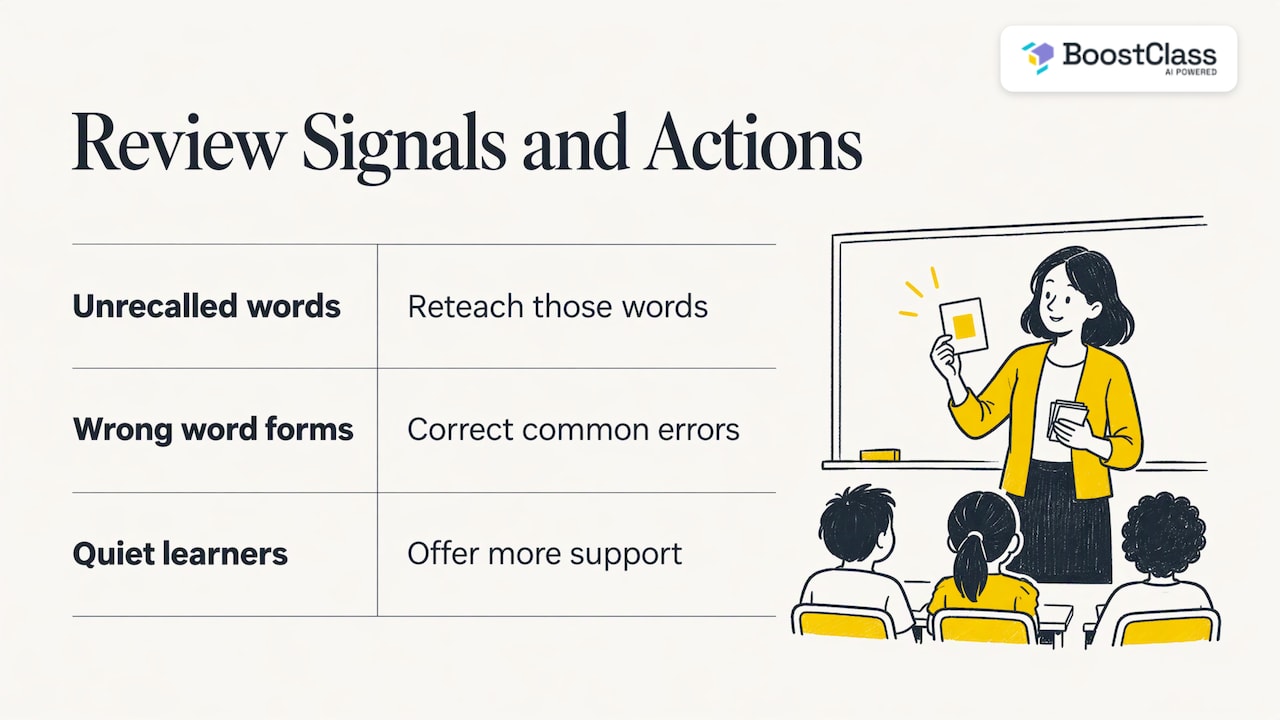
In practice, that means noting three things during any review: which words nobody could recall, which words learners used in the wrong form, and which learners stayed quiet. The first list tells you what to reteach, the second what to correct, and the third who needs more support.
The UKL4 guide divides feedback into praise, content feedback and linguistic feedback, the last being on-the-spot or delayed error correction. For vocabulary review, delayed correction usually works better: let the game run, then write the common errors on the board and fix them together. Our guides on real-time feedback and ESL feedback comments go further on wording.
If you also run online practice between lessons, it helps to ask whether it measures anything useful. These diagnostic questions about a learning experience are a good checklist for that.
Making review personal without doubling your workload
The real challenge is that a class of ten has ten different sets of forgotten words. Reviewing the whole list for everyone wastes the time of those who already know it, and skipping it leaves others behind. Doing this by hand means tracking mistakes across lessons, which few teachers have time for.
This is the problem BoostClass is built for. After class, it automatically generates individual student feedback, tracks progress and delivers personalised practice targeting each learner’s actual mistakes. Before class, Connected Activities helps you prepare in minutes, generating over 20 types of ready-to-use exercises. You can build them from your teaching objectives, previous class insights and the learning gaps it has detected.
A worked example. In a Tuesday class, three learners confuse “borrow” and “lend”, and two skip the new phrasal verbs entirely. Instead of repeating the whole unit on Thursday, you generate a matching exercise on the confused pairs and a gap-fill on the phrasal verbs. Learners who already know both are not slowed down. You keep your own teaching style and materials, and the preparation takes minutes rather than an evening. For more on this approach, read about adaptive learning in ESL and personalised learning pathways.
Try Connected Activities with your next class
BoostClass is an AI-powered platform for language teachers and schools. It integrates with Zoom, Microsoft Teams and Google Meet, supports in-person teaching, and students do not need to install anything. The Activities plan costs €5 per month. Student Intelligence is €19 per month for up to 10 students and €34 per month for up to 20 students, and the student feedback plan for up to 30 students is €49 per month. You can see the details on the BoostClass pricing page, or try the AI classroom activities directly.

School owners can also see how the pieces fit together in our guide AI for language schools: a practical guide for owners.
Our perspective
Most review fails for a boring reason: it is the same for everyone. The teacher picks a game, the whole class plays it, and the words that only three learners are missing get the same attention as the words everyone knows.
We built BoostClass around a different idea. Insight from the real class, with a real teacher, is the most valuable input for the next activity. When the platform captures what happened in the lesson, practice can target what each learner actually got wrong, and the teacher does not have to keep it all in their head.
That is also why we do not replace teachers. Teachers keep their teaching style and materials, and we take on the tedious admin: preparing exercises, writing feedback, tracking progress. For school owners it adds visibility into engagement and outcomes, which makes retention conversations with learners much easier.
Cesar
Using AI carefully when you prepare activities
AI can draft a vocabulary exercise in seconds, but you stay responsible for what learners see. A few habits keep that safe.
- Read everything before class. Check that example sentences are natural, the answer key is right, and the words match your learners’ level.
- Keep personal data minimal. Avoid pasting learners’ full names, contact details or sensitive information into any tool you have not checked. Follow your school’s data protection policy, and with minors, check your safeguarding rules too.
- Keep the teacher in the loop. Use generated activities as a first draft that you adjust, so the lesson still reflects your judgement of the group.
- Tell learners how practice is used. A short explanation of why they receive personalised exercises builds trust.
If worries about AI in your school go beyond preparation, our article on whether AI will replace language teachers addresses them directly.
FAQ
How often should I review vocabulary?
Little and often works best. Plan several short slots across a unit rather than one long revision lesson, and bring back words from earlier units in warm-ups. Our warm-up activities for ESL classes are designed for exactly those five minutes.
What is the best vocabulary review game for mixed levels?
Alphabet is a strong choice because you can change the timer: Oxford University Press ELT suggests longer for lower levels and shorter for higher ones. Speed Sorting also works if you vary the categories by level.
Can I use the same activities for grammar?
Yes, with a different focus. Question-word gap-fills, clicker-gap passages and dictogloss all review structures while recycling vocabulary, so you can combine both aims in one slot.
How do I personalise review for a large class?
Record which words each learner missed, then give targeted follow-up rather than the same list for everyone. A platform like BoostClass can generate that practice from the learner’s real class mistakes, which saves you the tracking.
Sources
- A2 Key for Schools Classroom Activities, Cambridge English
- A2 Key classroom activities, Cambridge English
- American English Teacher’s Corner, US Department of State
- Six low-preparation vocabulary activities, British Council
- 5 Creative Activities to Practise Vocabulary, Oxford University Press ELT
- Cheap Materials and Engaging Activities, US Embassy
- UKL4 FUN Teaching Guide
- Teaching ESL Grammar through Dictation, ERIC
- TEFL Grammar Activities, Peace Corps
- Digital Lingua Toolkit
- Diagnostic questions about a learning experience
